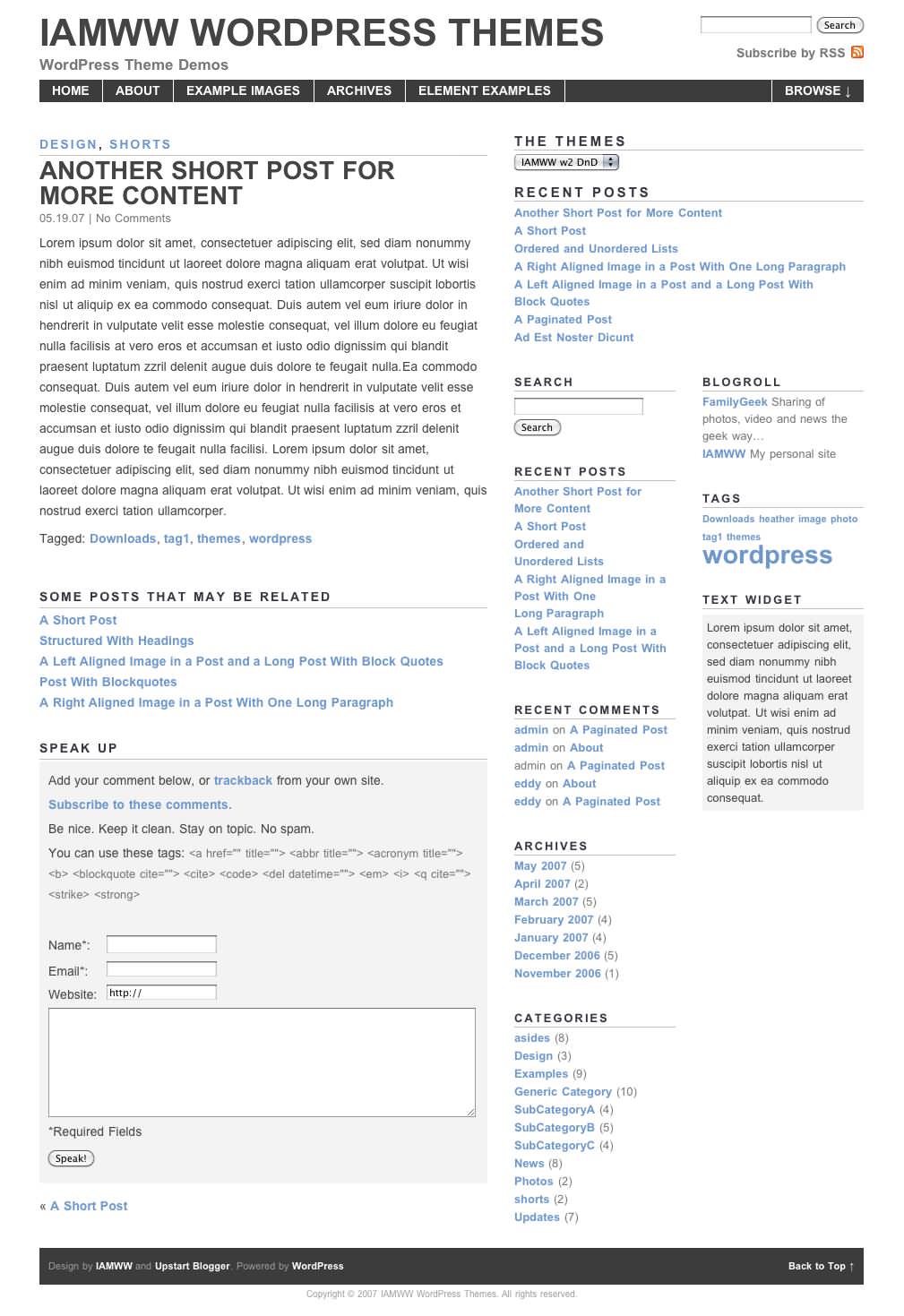
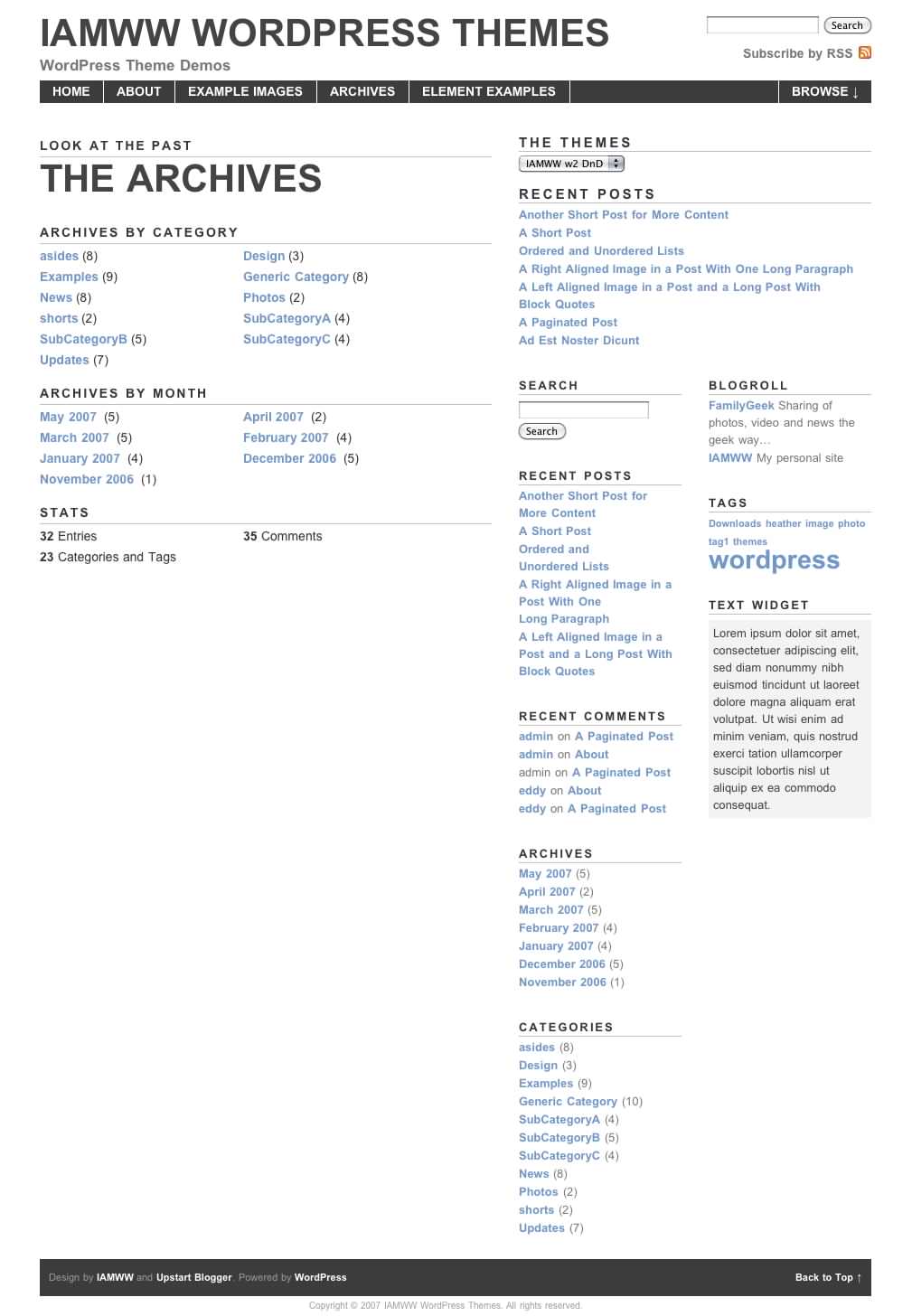
Built from the original IAMWW w2 WordPress theme. w2 DnD is still built on a grid layout, with a white, gray and blue color scheme. However, where this theme differs is the installation of the theme. Specific plugins and editing the PHP / HTML are no longer required. The theme is completely “Drag n’ Drop.” Hence the name, DnD.
Features:
- Fixed width with an overall width of 920px.
- Widget ready.
- Horizontal top navigation.
- A grid based layout with one right-hand sidebar that also contains two smaller sub-sidebars.
- A JavaScript sliding drawer or shelf for browsing categories.
- An about me or about site blurb at the top of the sidebar that is only displayed on the home page.
- Includes an archives template page.
- Compatible with WordPress 2.0+.
- There is no options page with this theme.
- No plugins are required.
- Validates as (X)HTML and CSS.
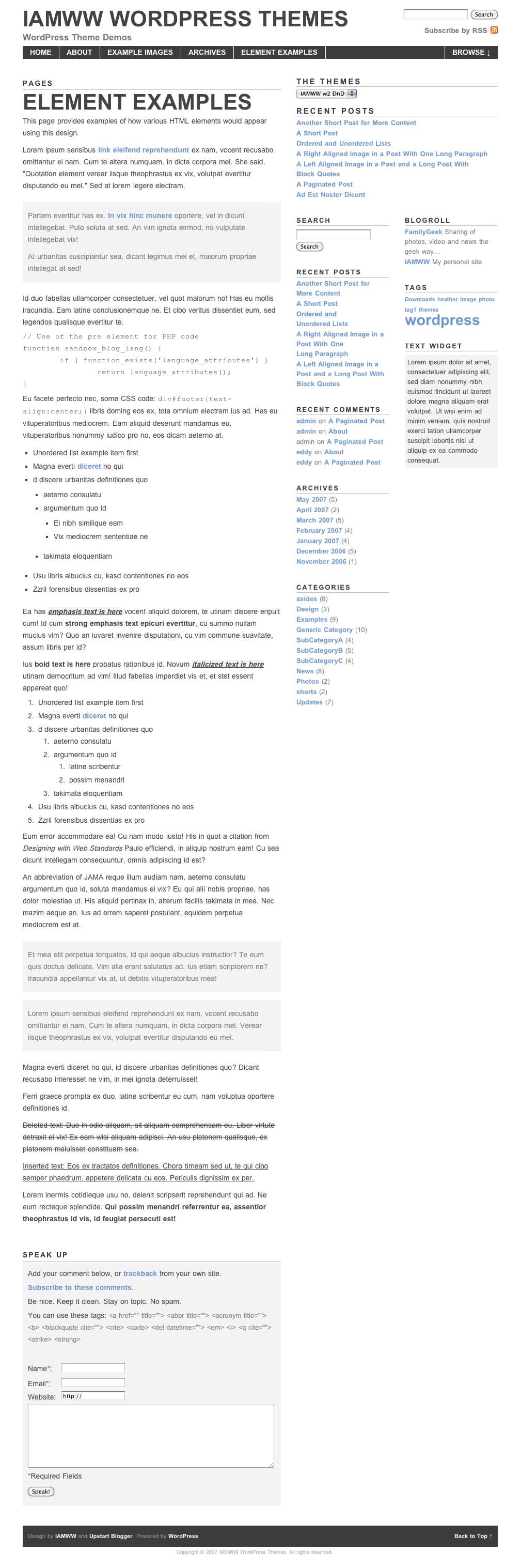
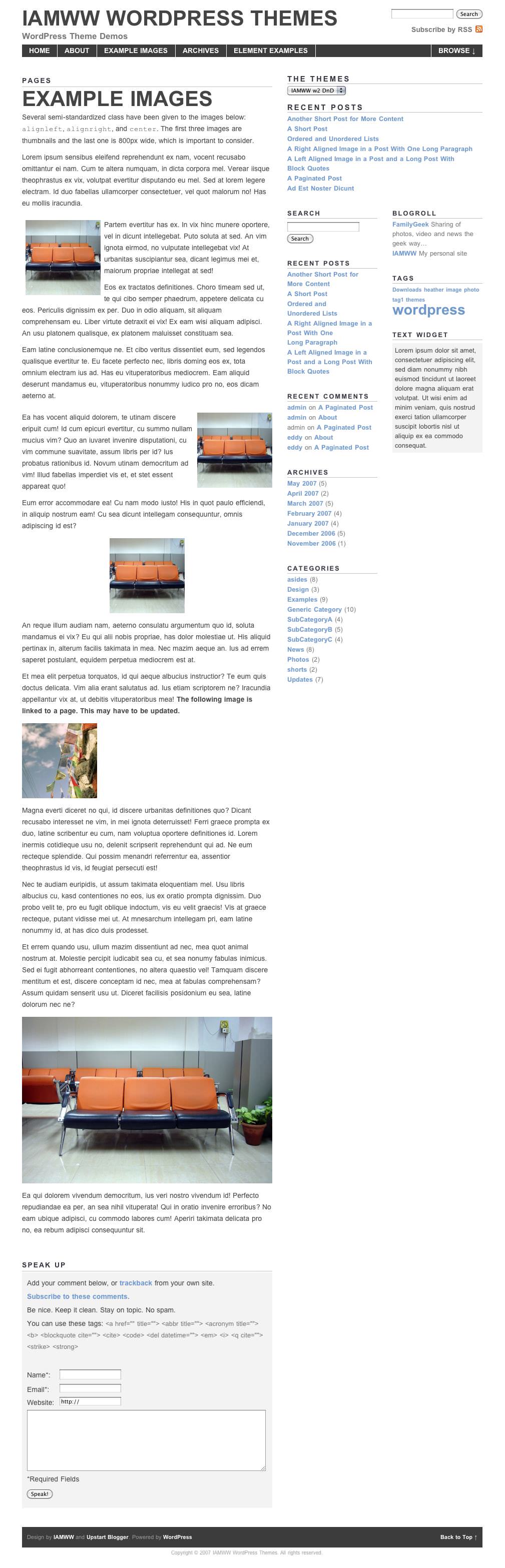
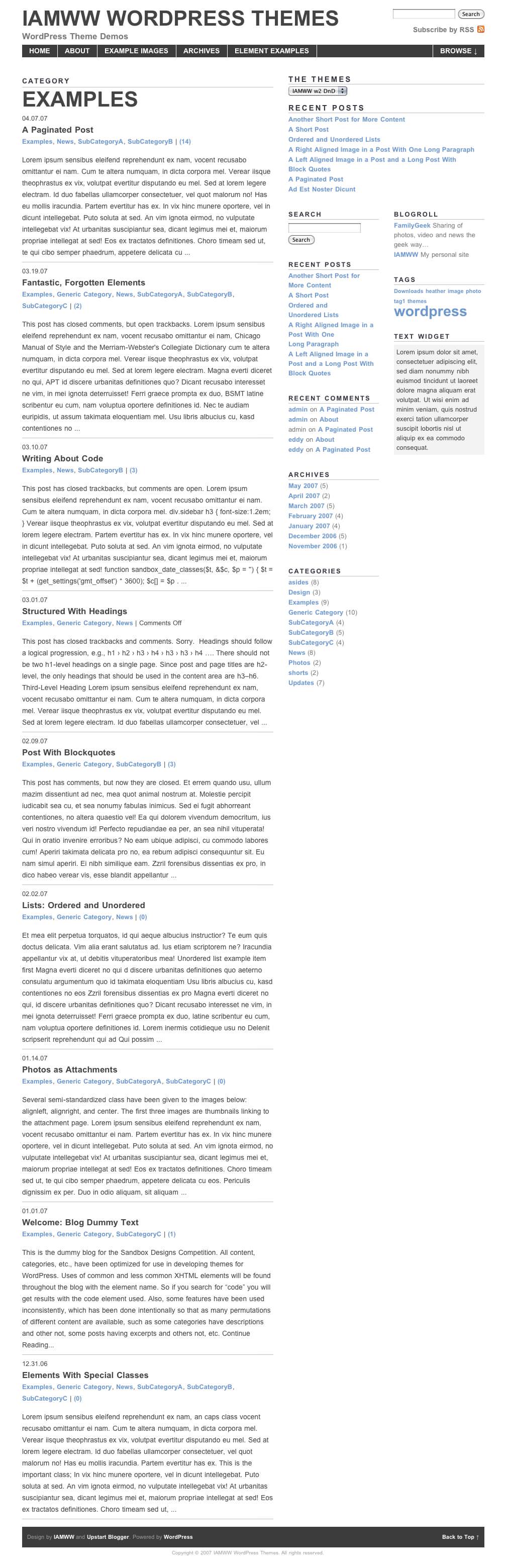
A preview of the theme:

You can try out the demo here.
Supported plugins (these are not required):
- Popularity Contest - Download and install per author’s instructions. I used 5 related posts and enter
<li>and</li>to the “Before / After (Post Title)” configuration boxes. needed. - Related Posts - Download and install per author’s instructions. No special configuration needed.
Installation:
- Download the IAMWW w2 WordPress theme.
- Unzip the file downloaded theme file.
- Upload the w2_dnd directory to your WordPress installation’s themes directory (../wp-content/themes/) on your server.
- Activate the theme, from the Presentations tab of your WordPress admin.
- Make sure to edit user profile in WordPress admin in the “About Yourself” section. This information will be displayed in the About section of the sidebar on the homepage of your site.
- You can then create a separate Archives page by creating a Archives page and select Archives from the page template drop-down.
Usage:
The IAMWW WordPress theme is released under the Creative Commons Attribution v3.0 license. Please (please) keep a link (either in the sidebar or the footer) back to IAMWW & Upstart Blogger.
Version History:
- 07.20.07 - v0.50 - First release.
- 11.26.07 - v0.75 - Valid (X)HTML and CSS. Improved comment styling. Moved global search to the header. All files edited from previous version in some way.
- 03.06.08 - v0.80 - Added a 10px padding to the container so that content is not slammed up against the browser edges. Added code to display tags on single posts and in the archives. Theme will only work with WordPress 2.3 and above.
Download:
For WordPress versions before 2.3 download IAMWW w2 DnD v0.75 (2118) - 25.14 KB
For WordPress versions after 2.3 download IAMWW w2 DnD v0.85 (3759) - 24.45 KB
Support:
The theme has been tested in Firefox (Mac, Linux and Windows), Internet Explorer 7, Opera (Mac) and Safari (Mac and Windows).
Please use the IAMWW Forums for support requests and reporting bugs.
Translations:
IAMWW w2 DnD version 0.75 in French
IAMWW w2 DnD (Spanish) (251) - 25.46 KB
Translation: Galo Pesoa
152 Comments
hey,perfect!
Hello Akuii. Let me know if you have any suggestions or issues with the theme.
Hey, thanks for the msg and good job. I like the large post title. That always get my attention :). I’ll try to give this theme a test run by late today or tomorrow.
Hello Small Potato and thanks for your comment and your time. Please let me know if you have any questions or comments.
Will - I just posted your theme on Wpdesigner.
Thanks Small Potato, that’s awesome!
There are some misstakes in your xhtml code which is not wellformed.
in functions.php - w_ShowAbout:
1 opening p-tag, but 2 closing p-tags …
sidebar.php:
the functions wp_register() and wp_meta() should not be wrapped in li-tags (these tags are part of the output)
the “syndication” block begins with an li (li id=”rsslinks”) which is not closed.
The “if (function_exists(’get_flickrRSS’)) {” condition should be ended outside of the li element. If this function does not exist, ul and li are not opened - but closed.
I’ll check out this version, thanks. The DnD widget support may be enough for me to switch over to this.
Do you anticipate this version taking over the original IAMWW theme, or do you see maintaining both in the future?
Thank you for pointing out my mistakes Edelkind. I will fix those and the inline css that Small Potato pointed out and make a new release soon.
@Todd - Wait for me to update this theme if you are looking to upgrade or switch to the DnD branch. As Edelkind mentioned, I made some mistakes that caused the xhtml to be malformed. I will correct this and release a new version by the end of the week.
The latest version of the original IAMWW w2 theme does support widgets. However, the issues in Edelkind pointed out may be present in the sidebar of that version as well. The biggest difference in the original version and the DnD is the required plugins and editing of the the PHP.
I make a few more improvements to the original w2 in the future. I do not expect any of the changes would be huge though. I will more than likely move on to some completely different themes for release. However, please let me know if you have any suggestions or ideas.
awesome theme. I wanna use it for my new site.
Thanks Jenny. Let me know when you get the theme up and running on your new site. I would love to have a look.
Think i posted my comment in the wrong place. THIS THEME IS THE BEST. Will - Wonderful Job. I look froward to the new release.
No worries and thanks for the compliment Tory. I really like what you have done with the theme on your site. The red really mixes well. Much better than a pure RED.
Thanks for the theme! I just installed it on my site: http://www.expressions.be
Hello Gaetano! You’re welcome for the theme. I like the changes you have made with the color scheme for your site.
Thanks to your stylesheet, one color code and the whole scheme is renewed
I just added a color photo at the top. I must say I enjoy your work a lot!
hi again. i need you help? my “continue reading” link can’t be found so with the rest of my post. also the title of the post links to the archives page instead of that post’s page. how do i make the recent posts, recent shorts, recent comments appear in the sidebar? also how do i make an image inserted in the post appear even in the index page? tnx. my site url is: boholrepublic.com
hi, i think i’m starting to figure it out. except that the ‘continue reading’ links to the archives page. i’ll see if i still have the patience for d-i-y. =)
Hello liza. It looks like you have figured things out on the site. Was the issue with the links in the theme or with your set up?
An it looks like you found how to insert images in the home page.
Since you are using w2 DnD, the recent posts will show up automatically on all pages except for the home page. You can also use a widget from the WordPress admin to show your recent comments. The recent shorts on this site and the original w2 theme are controlled by the PHP in the template files for index.php and sidebar.php.
Let me know if you have any other questions.
Dear will, I look forward to his theme of change, when you produce an even better than W2 theme.
Hi Will! I really like this theme and would like to use it in a new blog. I’d like to know if it’s possible to make it show the whole post in the main page (so that images will appear there too).
I don’t know enough to figure these things out by myself
Thank you Parandroid. I really hope I can create a theme better than w2. It’s possible. I just need to find the time to do it. I have plenty of ideas bouncing around in my head!
Hello Maria. I am glad you like the theme and want to use it.
You can make these changes to the home page posts by editing one line of code in the
index.phpfile. You will need to change the code in line 7.From:
To:
This will display the full post. This will make the post display Continue Reading… at the point where any
<!-- more -->tags have been used in your posts.Let me know if you have any other questions.
you are an amazing designer, keep up the great work. i love the minimalist feel
Thank you Rashid! I am not sure how much of a designer I am quite yet, but I am learning as much as possible. I really love minimalistic site designs that a spacious and easy to read.
Hi Will! I’m implementing w2 DnD and cannot seem to figure out how to add a photo to the “About” area above the sidebar. Please help!
thanks much will! my site’s starting to become like a real site now…
@AJWILSON - The About section is edited in the “About Yourself” section of your user profile. I tested it and images can not be added to the field. Therefore, editing the about section in the
sidebar.phpwill be your best bet. You will have to remove the PHP used to pull the info from admin and replace it with your about text and image.You are very welcome Liza! You site looks awesome with the pink additions.
Hey there I’m absolutely loving the theme! I’m just in the process of setting up my site with it but there’s just one thing I can’t quite get my head around, as Maria was asking above about changing line 7 of the index.php file, I changed mine so I could show more of my posts and images etc but nothing appears to have changed, I can’t quite understand why!? Any help would be much appreciated!
Oh so sorry figured it out! I’ve been sitting here for over an hour trying to work it out and I was working on exactly the same file in a diff. directory! Eek, so sorry!
Hello Sarah. I am glad you were able to get the theme working and you enjoy it. Let me know if you have any other questions or issues.
I LOVE! this theme. One question, I’d like to get my content and sidebar moved up a bit towards the header and move the search form to be before and aligned with the RSS icon at top so it would be essentially: search input box search button RSS ICON with the rss icon being centered up and down with the search button.I am pretty limited in my coding, if anyone can point me in the direction of how to do this I would really appreciate it.Site: http://eleven22.org. Thanks!
Hello, I love this theme! I have two questions I was wondering if the code gurus could answer. My thanks in advance.
First, how can I reduce the space between the header and the main content area/sidebar. As you can see from my site I have eliminated the search bar.
Second, how can I put the Search bar directly to the left of the RSS icon in the header? I’d like the search box, button and rss icon to align horizontally if possible.
Thanks so much for your hard work!
Steve
http://eleven22.org
Hello stvlange. I am glad that you like the theme.
I will shoot you an email to try and help on the changes you want to make.
Hey i first want to start off by saying i love your theme, it’s perfect for what I wanted.
I do however have one question, how do I make it so the whole post shows on the home page, not just the first 4 lines?
Hi Zach. I appreciate your compliment.
You can make these changes to the home page posts by editing one line of code in the
index.phpfile.You will need to change the code in line 7 from:
<?php the_content_rss('Continue Reading...', FALSE, '', 50); ?>
to
<?php the_content('Continue Reading...'); ?>
This will display the full post. This will make the post display Continue Reading… at the point where any
tags have been used in your posts.Let me know if you have any other questions.
Hi.
I love the theme but I am having a minor issue. I’m running it at http://www.dailysausage.net, and it is working well for the most part. However, when I click through to a blog post the sidebar is showing up below the entry. Any ideas on how to change this?
Thanks,
DS
Hello DS. First off, it appears the theme package you uploaded and installed is in a IAMWW DnD directory. I downloaded the packages available on this site and they should have produced a w2_dnd or a IAMWW_w2 theme root directory.
So the first issue is that the way you have it installed (any edits you have made) created the url
http://dailysausage.net/wp-content/themes/IAMWW DnD/js/toggle.jsto access the JavaScript file -toggle.js. This url presents an 404 error that the file was not found. I am not sure that this is causing the layout issue, but without things being the way I built the theme it is hard to diagnose.Did you make any other edits to the theme aside from the register button in the navigation bar and the sitemeter link in the sidebar?
Hi,
I really like this theme, but I wanna know how can I indent the sub-category? I didn’t use the widget and modify the argument for wp_list_cats, but nothing happens. I guess something need to be added into style.css, can you show me how to do it?
Thank you
I’m having display issues on blog posts only with this Theme. Granted, I’ve done extensive mods to it, but this just baffles me.
All main pages, category pages, static pages and search results pages work fine across all browsers and platforms, however, blog posts aren’t displaying properly on PC’s with FireFox or IE.
I’m suspecting an extra tag or something, but I’m not sure.
See… this works fine:
http://www.feedthehabit.com
But, this makes the sidebar bump down to the bottom of the post and in FF, there’s no white bg.
http://www.feedthehabit.com/skiing/2007-mountain-hardwear-huckster-backcountry-ski-pack/
It all works great in FF for Mac.
Thanks!
I just uploaded a fresh version of this theme to another blog and it does the same thing in Safari (Mac), IE and FF (PC):
http://gearminer.com/blog/yakima-high-roller-upright-mountain-bike-roof-rack/
I can’t believe that it does this out of the box. I know it’s gratis, but I’ve been using this theme on FeedTheHabit.com for nearly a month and since it works perfectly on FF for Mac, I assumed it worked elsewhere… I was bummed the other day to find this out.
So, most of my visitors are getting a poor experience. any ideas?
I’ve isolated the bug to the Comments template. I just replaced my modified one with the default one included with the them and it still hoses it. Until I figure this out, I’m just going to disable comments.
Was this theme just not tested across all browsers? I’m a little disappointed that I’m finding this out, but I’m sure all of us can figure out what’s wrong.
Thanks Hugh.
You would need to edit the css file. Can you point me to a URL that I can look at with the theme running? I will see what I can do to help you out.
@Hugh - I do not see that you currently have any sub categories on your site. However, once you get that set up, you should be able to add something similar to the following line to the style.css file to get the indention you are looking for.
Let me know if you have any other questions.
@Jason to answer all of your questions:
You may have fixed these issues by now since you have comments enabled again and I do not see any issues on you site with Firefox (Mac & PC), Safari (Mac) or IE7 on Windows.
I have not had any of these complaints from other users. You have done a lot of modifications to the theme did any of those changes mess up the layout?
I assure you all of my themes are tested across all of the browsers you have mentioned. Otherwise, I would not release them.
Like you said this theme is free and the support of the theme is free and done in my spare time. However, I do my best to make decent themes and support them.
While you have made a lot of modifications to the theme, you have already done the one thing I asked people not to do by removing the links to IAMWW and Upstart Blogger. This along with the tone of your comments only make me feel less than obliged to help you out on your modified version of my theme. Leaving those links could actually help you.
Hi, I really love your themes, the design, and the sliding drawer!!
I just downloaded it and I’m trying to set it on my new blog.
I have the same question as Hugh with the indent sub-categories. With your advice, I tried to add this line #sidebar #categories ul li ul li {margin-left: .5em;}. But it still didn’t work, so can you help me please. Thanks ^^
Thanks June.
I found the solution to both yours and Hugh’s questions.
First you need to edit your categories sidebar widget in the WordPress admin -> Presentation -> widgets. Make sure to check the show hierarchy option. Save the widget configuration.
Next add the following line of code to the style.css file.
div#sidebar #categories ul li ul.children li a {margin-left: 15px;
}
That would indent the sub-categories by 15 pixels. You can adjust that number as needed.
Let me know if you have any other questions.
I’ve checked the hierarchy and I’ve added the line, but still nothing changed. - -” Do I have to change anything else in the php file?
I am able to see the indentions on your site. Delete your browser’s cache and see if that changes anything. No edits in the php should be required.
Hi Will, I’m able to see the indentations now. Thank you very much for your help. I’m really happy that I chose your theme!!
Hi Will, I love your theme! My site is in maintenance mode since I’m still building (well, re-building) it, but hopefully you can still help? Basically, I have a post where the image is aligned left, so the text wraps on the right. That’s all good, but since the image extends down further than the text, the following post is bumped up and wrapping around the image, too. I think this has something to do with clearing the float and I need to stick some clear:both code in somewhere, but I’m not sure exactly what or where. (If you need to see the site to find out what’s wrong, I can come ask again when I actually have it up.) Thanks!!
You are welcome June. I am glad I was able to help and thanks for using my theme!
Hello Courtney. I am glad that you enjoy the theme.
It would be much easier for me yo help out if I was able to see the site. Can you take it out of maintenance mode for a little while so I can have a look?
Sorry to sound a bit terse in my posts, but I was pretty disappointed to see this flaw in the out-of-the-box installation I did after spending hours trying to track it down. I’m sure you can understand… nobody likes to troubleshoot thousands of lines of code only to find out that it was broken in the base, unmodified version.
I ended up using another person’s comments code and now it works great.
Your theme has served as a great starting point for me and I appreciate your work.
Thanks for replying Will, I’m actually very close to finishing my site so it will be up in the next couple of days, I’ll let you know when so you can take a look. Thanks!
Jason - I do understand your frustration. However, I can not find the issue you are referring to in the original code. I can not replicate in Firefox or Internet Explorer 7 on Windows.
If you can point out a spot where the theme is broken on the demo site, I would be more than happy to fix it and put out a new release. This would be a great help to me and all users of the theme.
@ Courtney - You’re welcome. Just let me know if you are still having issues once you have the site up.
http://gearminer.com/blog/yakima-high-roller-upright-mountain-bike-roof-rack/
That’s an out of the box installation of the theme. I don’t have access to a PC right now, but on Safari, the sidebar gets pushed below the content and comments section, which is the same behavior I saw on FF and IE for PC. Let me know if you’re seeing what I’m seeing.
I’ll leave it like that for a little while so you can see it. Your theme is great dude… I really like it, but this just got me frustrated.
“I see. I see.” said the blind man. The issue is that the comments div is not closed when the user has to be registered and logged in to comment on a post. This issue was left over from the Upstart Blogger Minim code.
I have corrected the file and sent you a copy of the file via email. Let me know if that works better for you.
I will also updated the IAMWW w2 DnD and the IAMWW w2 files hosted here on the site soon.
Thanks! Glad you saw it. I knew it was a missing or something, but I just didn’t have the desire to dig into it again.
Glad to do a little Q/A for you to get this thing nailed down. Thanks!
Thanks for theme
You’re welcome Alen.
Will - as you know I love this theme, the one thing I would love to add to it is some form of typographic control to add nice right justification. Anything that comes to mind?
stvlange - I will shoot you an email to see if I can assist. Dependant upon what you want to align it could be as simple as
text-align:right?I’m having issues embedding videos into my posts. When I do, it breaks the formatting and pushes the sidebar to the bottom of the page. Is this a Wordpress or a theme bug?
I’ve used the Embed Video with Link plugin on other Wordpress installs, but for some reason, I can’t get that plugin to work. Wordpress doesn’t recognize it’s there in the Plugins folder… it’s weird.
However, is it possible to simply embed videos without using the above plugin?
Sorry to post before exploring all options… This plugin works just dandy:
http://wordpress.org/extend/plugins/vipers-video-quicktags/page/3#post-1329
You can see it working here:
http://www.feedthehabit.com/skiing/tgr-lost-and-found/
Yeehaw!!!
Hello Will!
I have followed your instructions to show the full post with images on the home page. But now I want to be able to split these post when these are very long.
Witch tag I need to put on my posts to show the text: Continue Reading.
I have tried with but doesn’t works.
Regards,
Javier
Will! forget what I have said in my last comment. Now it works! Thanks for your work!
Hi Javier - I am glad that you were able to resolve the issue. Let me know if you have any other issues.
Hi Will
Thanks for your great job. I’m using your theme in my blog (in Spanish), so you have yet another language added to the collection!
I was just wondering if it’s possible to show the full content of only the first post(including images), keeping all the other posts in the short form. This is different from the recommendation you gave us before, which changes all the posts in the home page.
Thanks a lot!
Luis
Hello Luis and thank you for your comment.
What you ask is possible. However, it is not necessarily a quick quick fix or change. Basically you would need to create two loops to display 1. the first article and how you want it to display and 2. the remaining articles and how they should display. Check out this section to get a run through of some of the options with multiple loops.
Thanks Will. It doesn’t look too difficult but I still need to ask some of my geeky-friends just in case!
all the best,
Luis
Luis - If you have any questions once you get started shoot me an email.
Hey Will,
Just want to say this is my favourite Wordpress theme and I’m going to use it for the conversion of my curent “handwritten” site to a Wordpress blog. I’ve been modifying the colours and such to match the visual theme of my current site. Check it out:
My Current Site
My site IAMWW-w2-DnD Style
Wait, Wordpress conversion is here. Sorry.
Hello Chris. I am glad you link the theme and have made it your own with the color changes. WordPress should be much easier to work with than the hand-coded version of your site. Let me know if you have any issues with the theme.
Thanks a lot for the theme, I do like the look a lot.
I did a default install, no customization except for the above fix to show full posts on the main page. For some reason my links and images are broken on the main page, but not on the actual post pages. Any idea why?
You’re welcome Court.
I will shoot you an email to help out. It looks like something is messed up in your edits.
Will- I just installed w2DnD and the sidebar doesn’t look the same as in the picture above. The “By Date” title over the calendar archive is missing, as is the drop-down archives menu. I redownloaded the files and uploaded the sidebar.php file again, but no fix. Any idea what I need to do to fix this?
Hello Chris.
The settings you are looking for are controlled by the widgets. When positioning your widgets, you also have the option to give them a title and options (dependent on the widget).
Thanks for the quick response, I got that fixed right away!
I have another issue now, if you don’t mind another question or two. Is there a way to display the links in the post excerpts that are shown on the index page? Also, how can I remove the ‘…’ that is displayed at the end of posts that are cut? Thanks again!
Chris- Your best bet would be to use the the_excerpt Reloaded plugin, which can be customized on which HTML tags to allow, length of the excerpt (in words), “more…” link, and filtering type. This is the best plugin I have found to give you total control over your excepts.
However, I believe you also could use the
the_contenttemplate tag as long as you always use the “more” function in your posts. It just wouldn’t work automatically like using something that creates the excerpts at a certain word count for you.